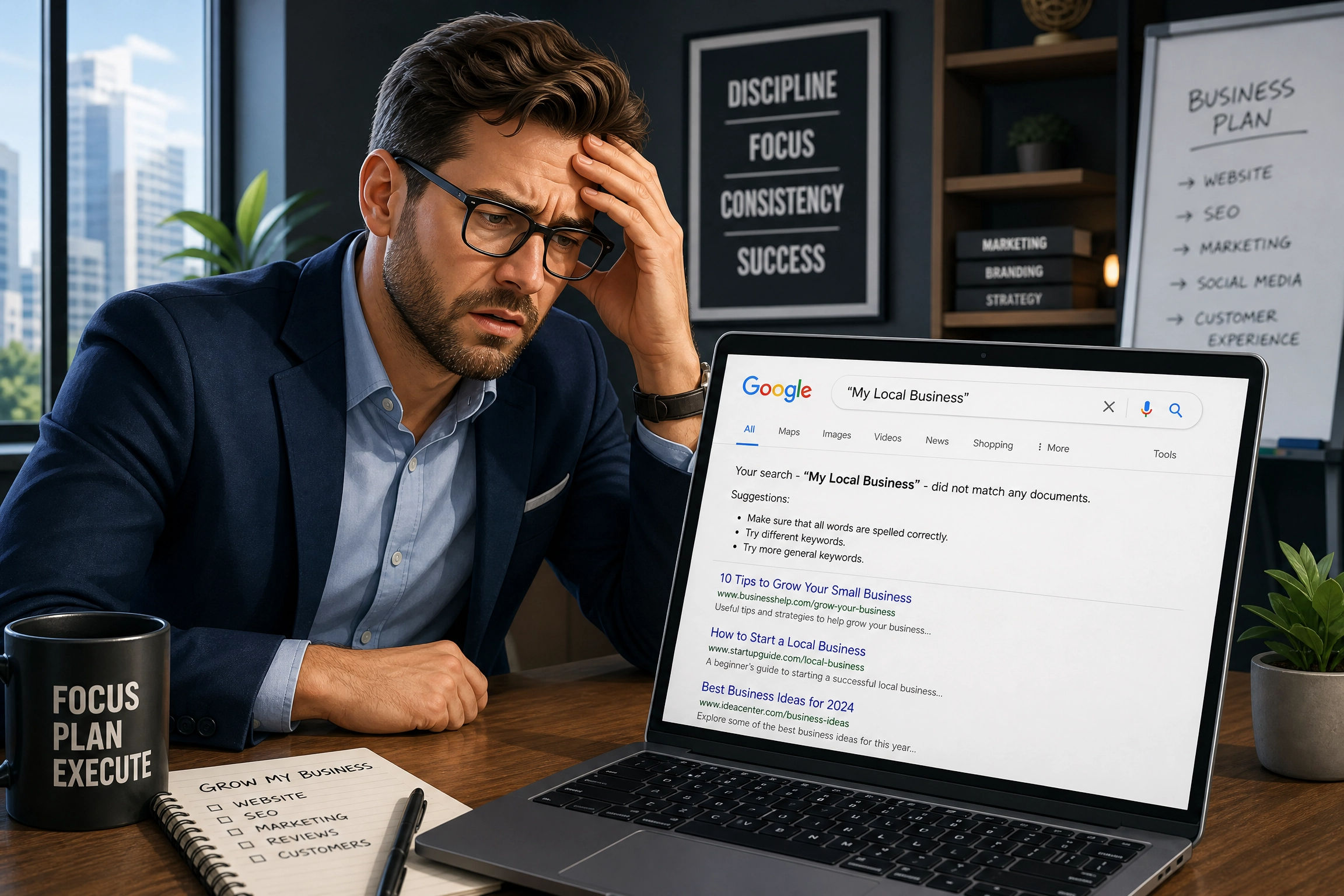

So, you’ve just launched your brand new website. It looks great, your logo’s sorted, your pages are live… and then you Google your own business name and find nothing. No sign of you anywhere. If this sounds familiar, you’re dealing with a website not ranking on Google. Honestly, it’s one of the most common (and most frustrating) things that happens after a launch. The good news? It’s almost always fixable, and it doesn’t mean you’ve done anything wrong.
In this article, we’ll walk through exactly why this happens. We’ll show you how to check what’s going on with your own site, and what you can actually do to fix it. No confusing jargon, we promise, just clear, simple steps.
Quick Summary:
Indexing vs Ranking: What’s Actually Going On?
Before we dig into the reasons your website isn’t ranking on Google, let’s clear up something important. Being indexed and being ranked are two very different things.
Indexed simply means Google knows your website exists. Google has added your pages to its enormous library of the internet. Ranked means your website actually shows up when someone searches for something related to your business, ideally on page one, since barely anyone scrolls past that.
So your site could be indexed but still nowhere to be seen in the results that matter. Sometimes it’s a “Google doesn’t know I exist” problem. Other times it’s a “Google knows I exist but doesn’t think I’m the best answer yet” problem.
Checking Whether Google Has Found You
Here’s a quick way to check which one applies to you. Open Google and type site:yourdomain.com into the search bar (swap in your actual website address). If pages pop up, you’re indexed. If nothing shows, Google hasn’t found you yet. You can also get proper detail on this by setting up Google Search Console, a free tool from Google that shows exactly what it thinks of your site.
1. Your Site Might Simply Be Too New
This is by far the most common reason a brand new website isn’t showing up. Google doesn’t magically know your website exists the second you hit publish. It has to crawl your site first (using its little digital robots) and then add it to the index, before your pages can rank anywhere at all.
For a fresh domain, this can take anywhere from a few days to a few weeks. It sometimes takes longer if nothing points Google in your direction yet. If you’ve only just launched, a website not ranking on Google in the first week or two isn’t a red flag. It’s completely normal.
What to do about it:
- Set up Google Search Console (it’s free) and submit your sitemap; this is basically a map of your website that helps Google find every page
- Make sure your website has at least a few internal links connecting your pages together
- Try to get at least one or two other websites linking to yours, even a business directory listing helps
- Be patient — Google works on its own timeline, not ours
If you registered your domain recently, double-check your domain settings through wherever you bought it, such as 123 Reg. Incorrect DNS settings can occasionally delay things too.
2. Technical Issues Could Be Blocking Google
Sometimes the problem isn’t patience. Something on your website might be literally telling Google to stay away. This happens more often than you’d think, especially with sites that were built quickly or migrated from an older platform.
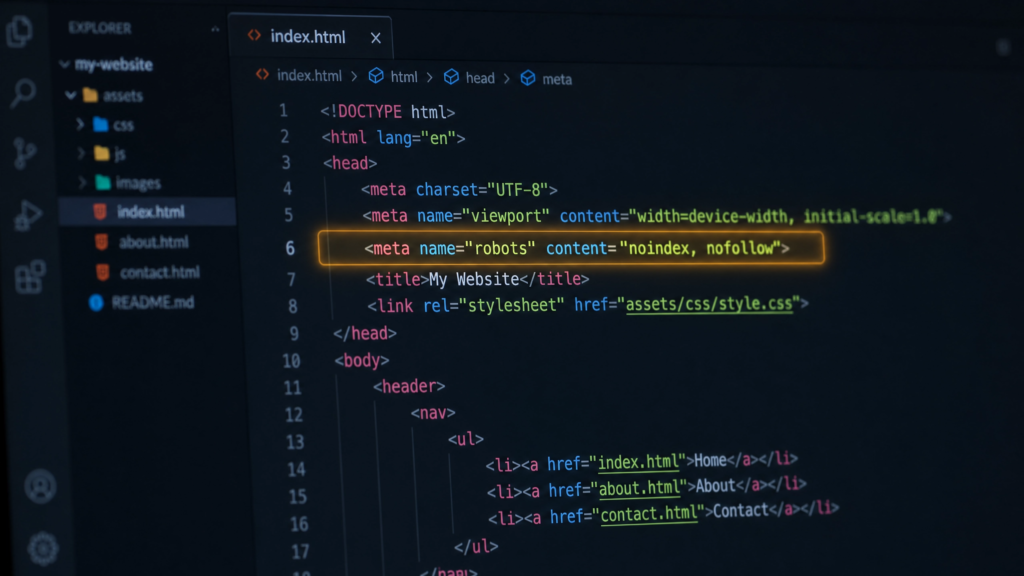
Two Common Technical Culprits
- A noindex tag – This tiny snippet of code tells Google, “please don’t show this page in search results.” Developers often add this tag to stop an unfinished site from appearing in search results early. It sometimes stays on by mistake after the website goes live.
- A blocked robots.txt file – This file tells search engines which parts of your site they can look at. A wrong setting here can accidentally stop Google crawling your entire website.
Most business owners wouldn’t spot either of these issues themselves. That’s exactly why it’s worth having a professional check your site’s health, especially straight after launch.
3. No Backlinks Yet? Why Your Website Isn’t Ranking on Google Without Them
Backlinks are links from other websites pointing to yours. Think of them like little votes of trust. If lots of respected websites link to you, Google figures you must be worth showing to people. If nobody links to you at all, Google has no reason to think you’re important yet.
This is a big reason a website not ranking on Google is often less about the website itself. It’s more about how little of the wider internet knows it exists yet.
Easy ways to start building this up:
- Set up and fully complete your Google Business Profile if you’re a local business
- Get listed in relevant online directories for your industry
- Ask suppliers, partners or happy customers if they’d link to your website
- Share your website on your social media profiles (this doesn’t directly boost rankings, but it does help people find and link to you)
You don’t need hundreds of backlinks overnight. Even a handful of good quality ones can make a noticeable difference over time. Not all backlinks carry equal weight, either. A link from a well-known, relevant website matters far more than dozens of links from random, low-quality sites. If you’re chasing just a few links to start with, aim for sources genuinely connected to your industry or local area, such as trade associations, local news sites, or business networking groups you’re already part of.
4. Weak Content Could Be Holding You Back
Here’s something a lot of business owners don’t realise. Google isn’t just checking whether your website exists. It’s checking whether your website actually answers the question someone typed in.
Imagine your homepage just says “Welcome to our company” with a couple of vague sentences about how great you are. Google struggles to understand what you actually do or who you help. Thin, vague content is one of the quieter reasons behind a website not ranking on Google.
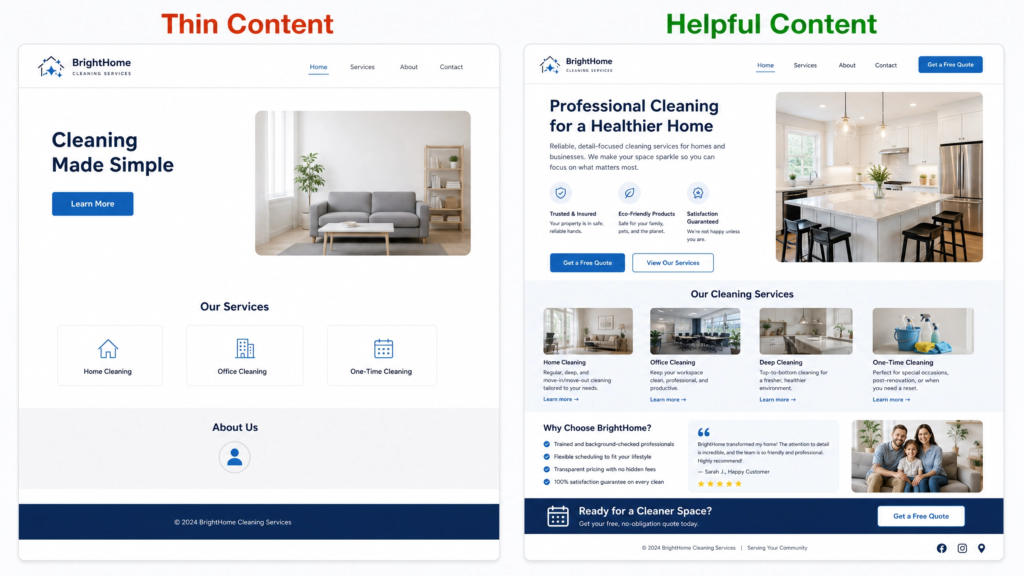
What Actually Helps Your Content Rank
- Write proper, detailed pages for each of your services rather than cramming everything onto one page
- Answer the real questions your customers ask you, in plain language
- Add a blog and update it regularly with genuinely useful information
- Avoid copying text from other websites; Google can tell, and it won’t do you any favours
Duplicate content causes problems too. Perhaps several pages on your site say more or less the same thing. Or maybe visitors can reach your website through both a www and non-www version without a proper redirect. Either way, Google can get confused about which page to show. This is a really common issue after a website redesign or migration, and it often hides in plain sight unless you know exactly where to look.
5. Slow or Not Mobile-Friendly? Why That Stops Your Website Ranking on Google
Google cares a lot about user experience these days. If your website takes forever to load, or looks broken on someone’s phone, Google reads that as a sign it’s probably not the best result to show people.
Most people browse the internet on their phones now, not laptops. If your site isn’t properly mobile-friendly, that alone could hold you back significantly.
How to check:
- Test your site speed for free using Google PageSpeed Insights
- Open your website on your own phone and see how it feels to use
- Check whether images are huge, oversized files (a very common cause of slow loading)
- Make sure buttons and menus are easy to tap, not tiny and fiddly
Good design and good SEO overlap a lot in this area. Our smart website services bake speed and mobile usability in from the start, rather than fixing it after the fact.
6. Wrong Keywords: Why Your Website Isn’t Ranking on Google for the Right Searches
This one catches a lot of businesses out. It’s tempting to want to rank for big, obvious terms like “web design” or “branding agency.” The trouble is, everyone searches these terms, and the competition is fierce. Even excellent websites can struggle to break through.
A website not ranking on Google for a super competitive term isn’t necessarily doing anything wrong. It’s just fighting a much bigger battle than it needs to.
Try Long-Tail Keywords Instead
It’s usually smarter to go after more specific phrases that match exactly what your ideal customer types in, especially phrases that include your location. Something like “logo design for small businesses in Manchester” has far less competition than “logo design.” People still search it regularly, and they’re often much closer to actually wanting to buy.
Working out the right keywords for your business is genuinely one of the more technical parts of SEO. It’s an area where an outside eye helps a lot. Feel free to get in touch if you’d like a second opinion on your keyword strategy.
How to Check What’s Actually Wrong With Your Website
Rather than guessing, work through this simple order:
- Check if you’re indexed — search
site:yourdomain.comon Google - Check Google Search Console — look at the Coverage report for errors or warnings
- Test your page speed — run your homepage through PageSpeed Insights
- Test on mobile — open your site on your own phone
- Check your content — does each main page clearly explain what you do and who it’s for?
- Check your backlinks — do any other websites link to you at all?
This checklist will usually tell you fairly quickly whether your website not ranking on Google comes down to a technical issue, a content issue, or simply time. If you’d rather have someone do this properly for you, our free website audit covers all of this and more, and it costs nothing to find out where you stand.
How Long Does SEO Take to Work?
This is probably the question we get asked the most, and it’s fair enough. Nobody wants to hear “just wait” without a real timeframe attached.
Realistically, most websites start to see meaningful movement in their rankings within three to six months of consistent effort. Brand new websites in more competitive industries can take six to twelve months to properly find their feet. Google isn’t being slow on purpose here. Trust and authority simply build up gradually, a bit like a reputation in real life.
The businesses that see the best results tend to keep going consistently, rather than making a big push for a month and then giving up. Small, steady improvements really do add up.
Frequently Asked Questions
Being indexed just means Google knows your site exists. Ranking well means Google thinks your site gives the best answer to a search, compared to everyone else’s. If you’re indexed but not ranking, it usually comes down to content, backlinks, or competition.
Typically a few days to a few weeks, though it can occasionally take longer if nothing links to your site yet.
Not directly, no. But it helps indirectly, by getting your website in front of more people who might then link to it or search for your business by name.
Usually one of three things causes this: a Google algorithm update, a technical issue from a recent change to your site, or in rare cases a manual penalty (Search Console would flag this). Check the timing against any recent changes you made as a good first step.
Typically a few days to a few weeks, though it can occasionally take longer if nothing links to your site yet.